
Naroto
Base Index odds1 in 2
Recorded income$1/s
Browse 28 characters, compare their base Index odds and recorded income, and save the units you own or want.
28 characters · Owned and Wishlist save on this device
Base Index odds1 in 2
Recorded income$1/s

Base Index odds1 in 3
Recorded income$2/s

Base Index odds1 in 4
Recorded income$2/s

Base Index odds1 in 6
Recorded income$3/s

Base Index odds1 in 11
Recorded income$5/s

Base Index odds1 in 15
Recorded income$7/s

Base Index odds1 in 20
Recorded income$8/s

Base Index odds1 in 28
Recorded income$11/s

Base Index odds1 in 52
Recorded income$17/s

Base Index odds1 in 95
Recorded income$27/s
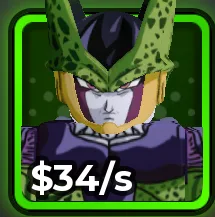
Base Index odds1 in 140
Recorded income$34/s

Base Index odds1 in 240
Recorded income$53/s

Base Index odds1 in 325
Recorded income$66/s

Base Index odds1 in 450
Recorded income$83/s

Base Index odds1 in 850
Recorded income$132/s

Base Index odds1 in 1.2K
Recorded income$170/s

Base Index odds1 in 1.7K
Recorded income$219/s

Base Index odds1 in 3.5K
Recorded income$371/s

Base Index odds1 in 5K
Recorded income$480/s

Base Index odds1 in 11K
Recorded income$851/s

Base Index odds1 in 16K
Recorded income$1.1K/s

Base Index odds1 in 25K
Recorded income$1.5K/s

Base Index odds1 in 38K
Recorded income$2K/s

Base Index odds1 in 290K
Recorded income$9.1K/s




No character matches that name. Clear the search to browse the roster.
The Index describes a character’s listed roll rarity. The Backpack shows the copies you actually own. A base character’s “1 in” value describes the Index entry; it is not a personalized drop rate after your dice, Luck upgrades, and boosts.
Income here is the recorded base-copy panel value. Size, mutation, Grade, Trait, and account bonuses can change what a copy earns. Compare the income on your own units before selling or replacing them. For Gujo, Levy, Pikolo, and Zenitsa, use the game panel to compare base stats.
Among these recorded base values, Enol is $9.1K/s, Sakuna is $2K/s, Madera is $1.5K/s, and Maheto is $1.1K/s. A modified copy of another character can outperform its base form, so this ordering is a starting comparison rather than a combat tier list.
Choose Owned to add a character to your collection, or Wishlist to remember a future target. Selecting an active button removes that entry. Open the tracker to mark variants, add custom names, or export a backup. Your collection stays in this browser.
Compare each copy’s Traits, Grades, size, and mutation. Keep a useful income unit while you test a replacement. For Tower progress, inspect Damage and Health as well; Index odds alone do not establish a unit’s combat performance.